


Description
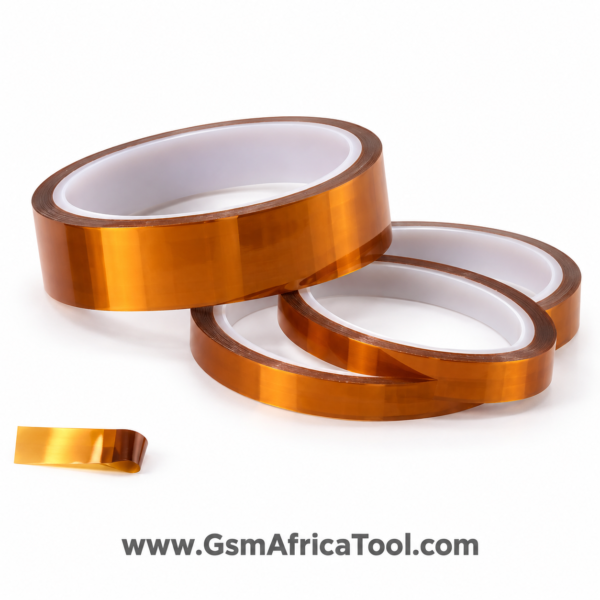
RF4 RF-TP20 Micro USB & Type-C Port Protector
RF4 RF-TP20 dual-head covers protect charging ports during soldering.
Good adhesive tape is essential for sealing screens and back covers after a repair. A strong, even bond keeps out dust and moisture and makes sure panels sit flush, just like they did from the factory.
RF4 is a leading mobile repair equipment brand known for its microscopes, fixtures and soldering tools, offering professional quality at a fair price.
Key Features
- Micro USB and Type-C
- Heat protection
- Reusable
- Low cost
Specifications
| Brand | RF4 |
|---|---|
| Model | RF-TP20 |
| Product Type | Adhesive Tape |
| Category | PROTECTIVE STICKER & WIPER & TAPE & CAMERA LENS CLEARNER |
| Condition | Brand new |
How to Use
- Clean old adhesive off the frame completely and wipe with alcohol.
- Measure and cut the tape to fit the frame edge.
- Apply the tape to the frame, pressing it down firmly.
- Peel off the backing and fit the screen or cover.
- Press evenly (a clamp or press helps) and let it set.
Pro Tips
- A clean, dry surface is the key to a strong bond.
- Avoid touching the adhesive side with your fingers.
- Use a heating press for the strongest seal.
Care & Storage
- Keep rolls in a sealed bag to stop dust sticking to the edges.
- Store away from heat and sunlight.
- Use within a reasonable time for best adhesion.
Ideal For
- Screen and back glass sealing
- Frame bonding
- Tablet and phone refurbishing
What’s in the Box
- 1 × RF4 RF-TP20 (as described in the title)
Product images are for illustration. Colours and packaging may vary slightly between batches.
Frequently Asked Questions
Q: Which width should I choose?
A: Narrow tape suits phone frames; wider tape is better for tablets and larger devices.
Q: Is it waterproof?
A: It provides a good seal against dust and moisture when applied properly. A repaired device should still not be treated as waterproof.


Reviews
There are no reviews yet.